Configuring the input
Switches and buttons connected to multiplexers are typically mapped to simulator variables that expect either 0 (for off) or 1 (for on). The following steps demonstrate how to configure a two-position switch connected to a multiplexer to control the parking brake in a Cessna 172 in Microsoft Flight Simulator 2020 and Microsoft Flight Simulator 2024.
Tip
The steps for using a switch or button in an X-Plane project are similar. Use the X-Plane DataRef type when configuring the Sim Variable tab.
Add a new input config
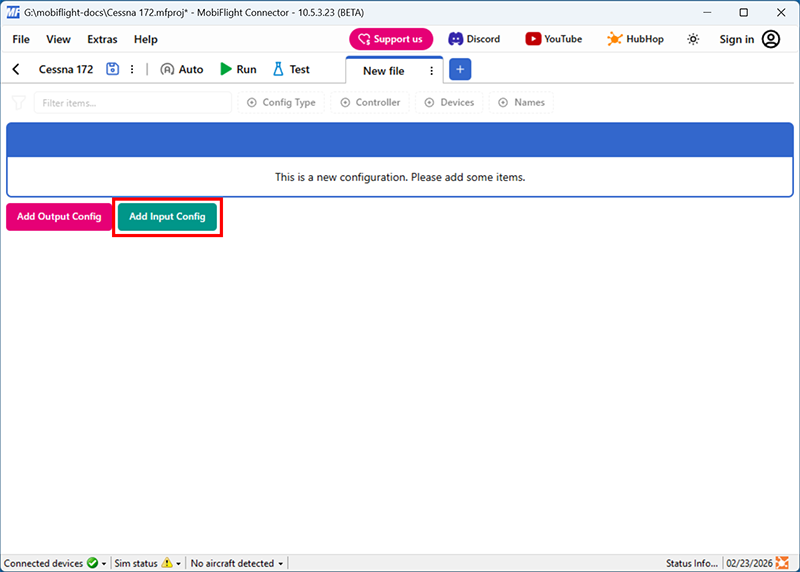
Click the Add Input Config button in the main MobiFlight window to open the input configuration dialog.
Select the board and device for the input
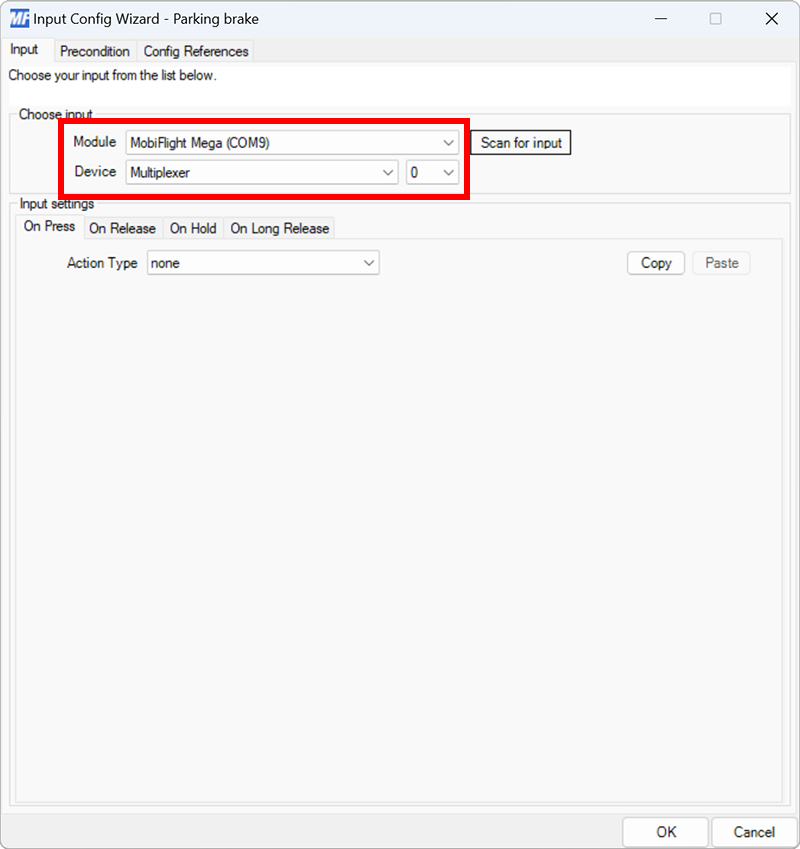
On the Input tab, use the Module and Device dropdowns to select your connected board and multiplexer. Use the dropdown next to the Device dropdown to select the pin on the multiplexer the switch is connected to.
Alternatively, press the Scan for input button and toggle the connected switch to automatically detect and select the correct switch.
Set the On Press action type and filter the presets list
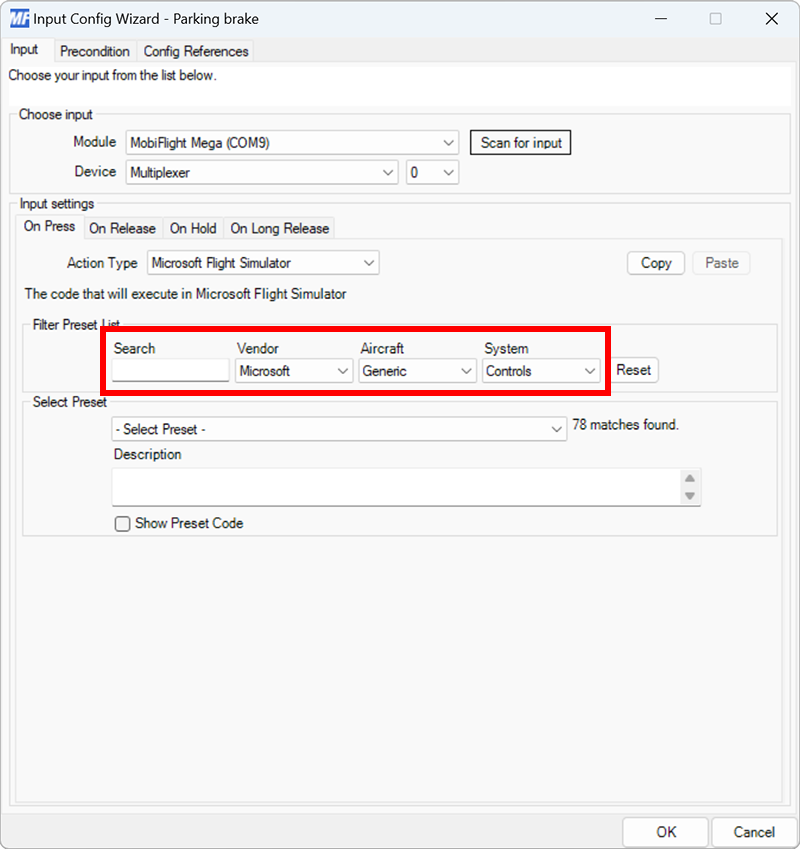
On the Input tab, select the On Press input setting tab. Use the Action Type dropdown to select Microsoft Flight Simulator. Then use the Filter Preset List dropdowns to filter by Microsoft, Generic, and Controls.
Select the parking brake on preset
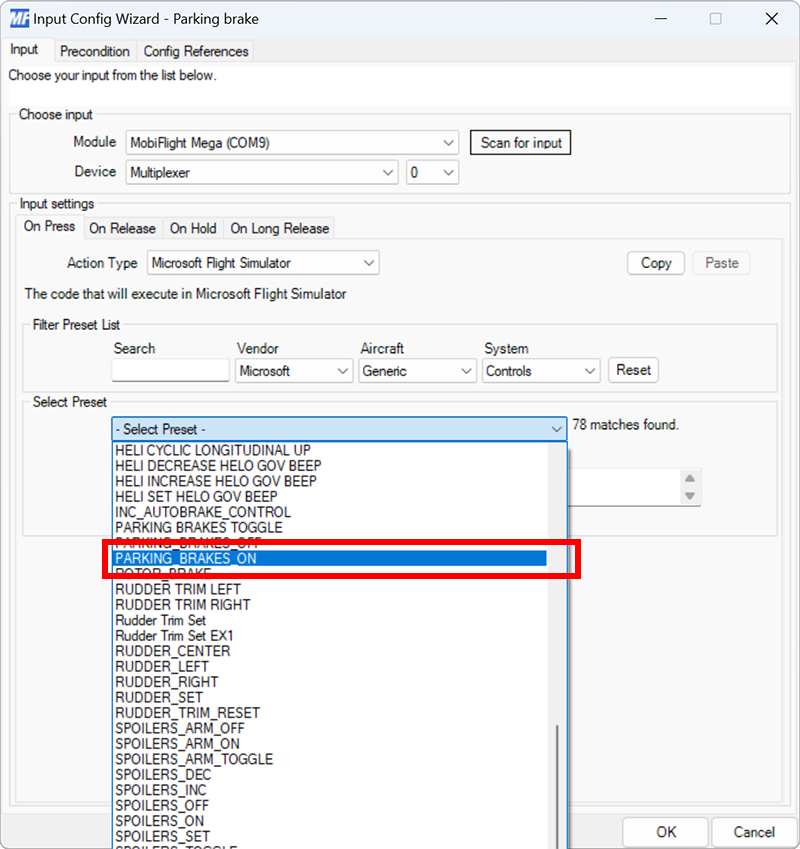
Use the Select Preset dropdown to select the PARKING_BRAKES_ON preset.
Configure the On Release action
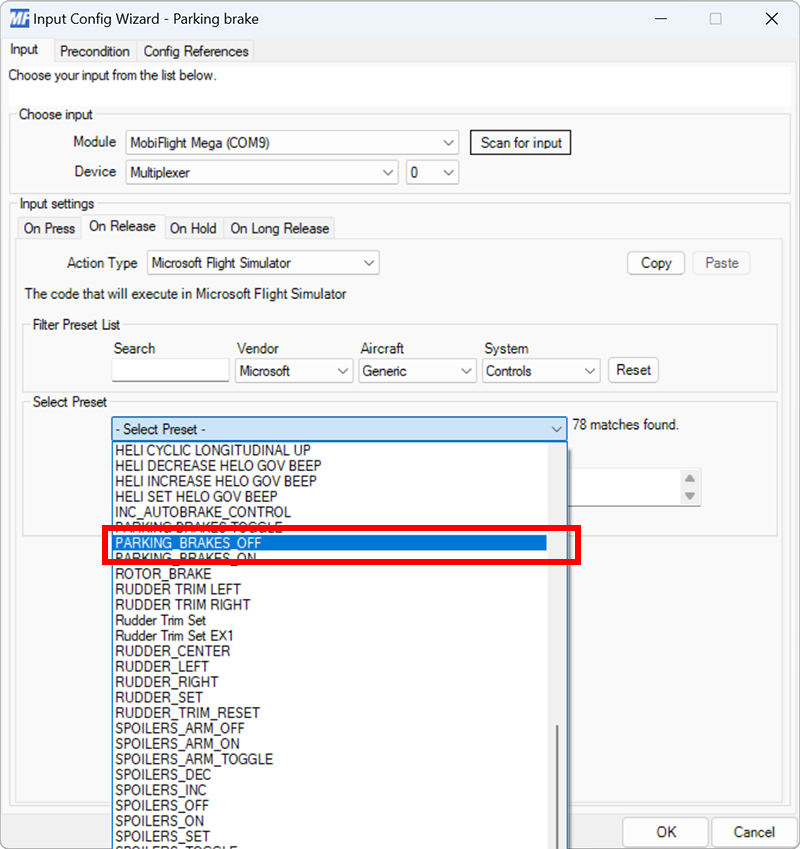
Repeat steps 4 and 5 for the On Release tab, selecting PARKING_BRAKES_OFF for the preset.
Close the dialog and name the config
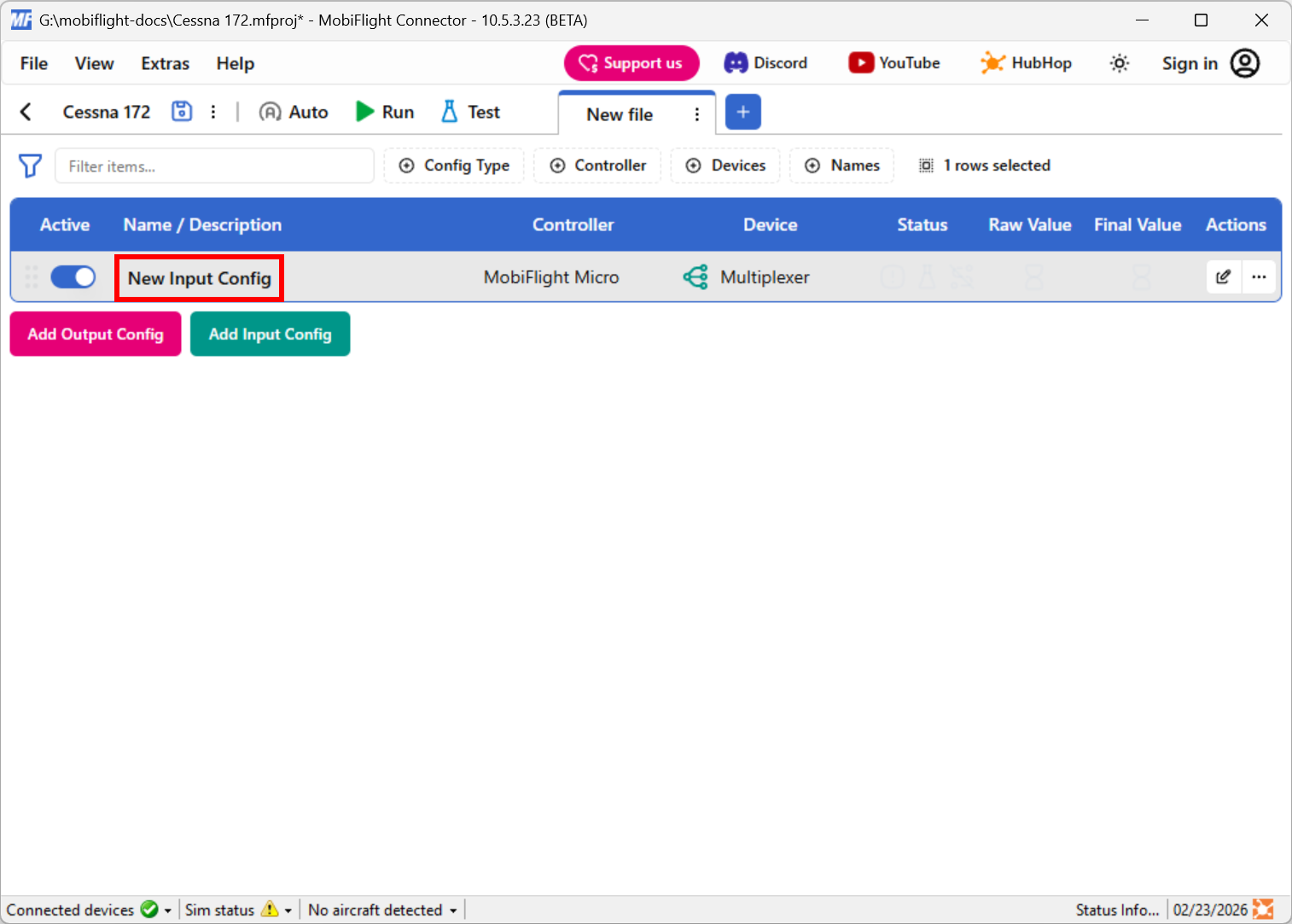
Click the OK button to close the dialog, then double-click on the New Input Config name in the main window.
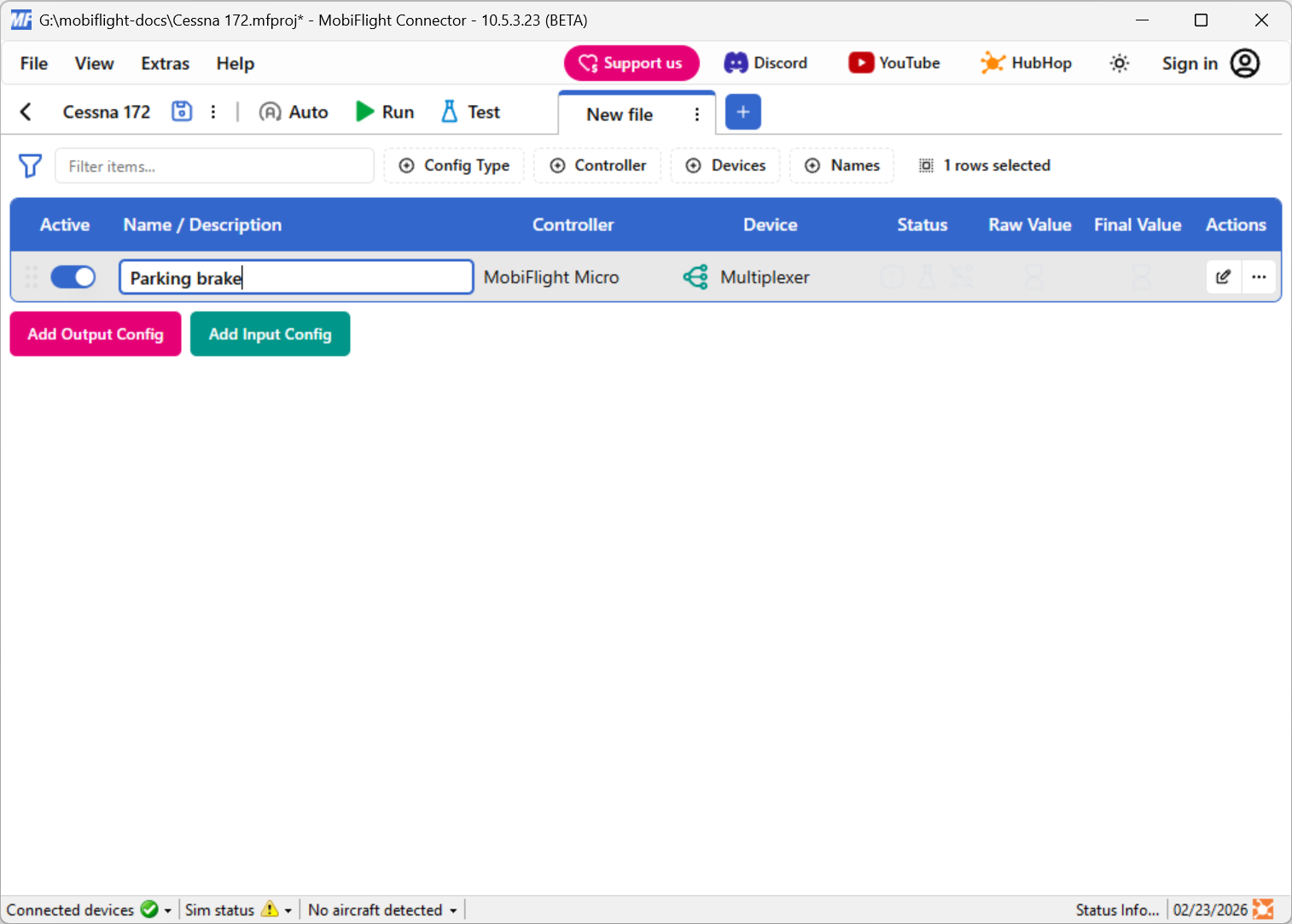
Type in a meaningful name for the new config, for example Parking brake, and press enter to apply the change.
Try out the event
Launch Microsoft Flight Simulator. Make sure the MobiFlight Run button is clicked in the toolbar, then try toggling the parking brake with the button. The parking brake in the simulator should toggle.
Tip
Even though these steps are for a Cessna 172, the same parking brake input events should work for most planes in Microsoft Flight Simulator.