Settings reference
Modules dialog
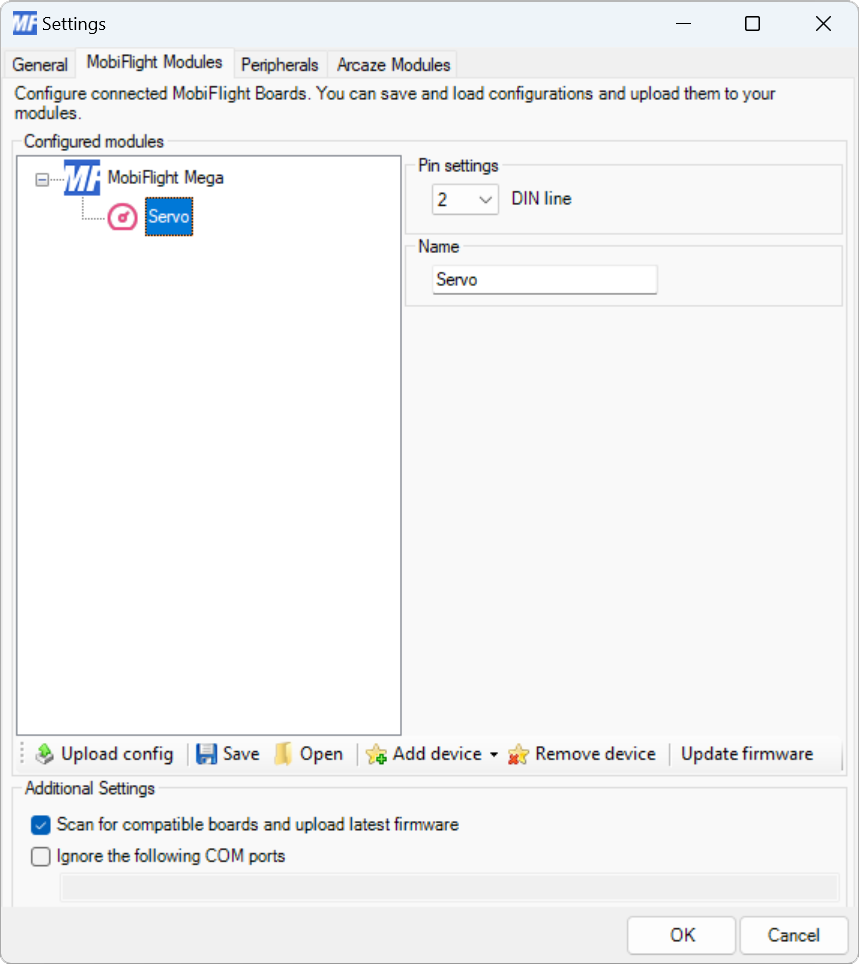
| Setting | Description |
|---|---|
| DIN line | The board pin connected to the servo. All digital and analog pins are supported. |
| Name | The name for the servo. Displayed in the output configuration dialog to identify the servo when mapping the simulator output. |
Output display configuration
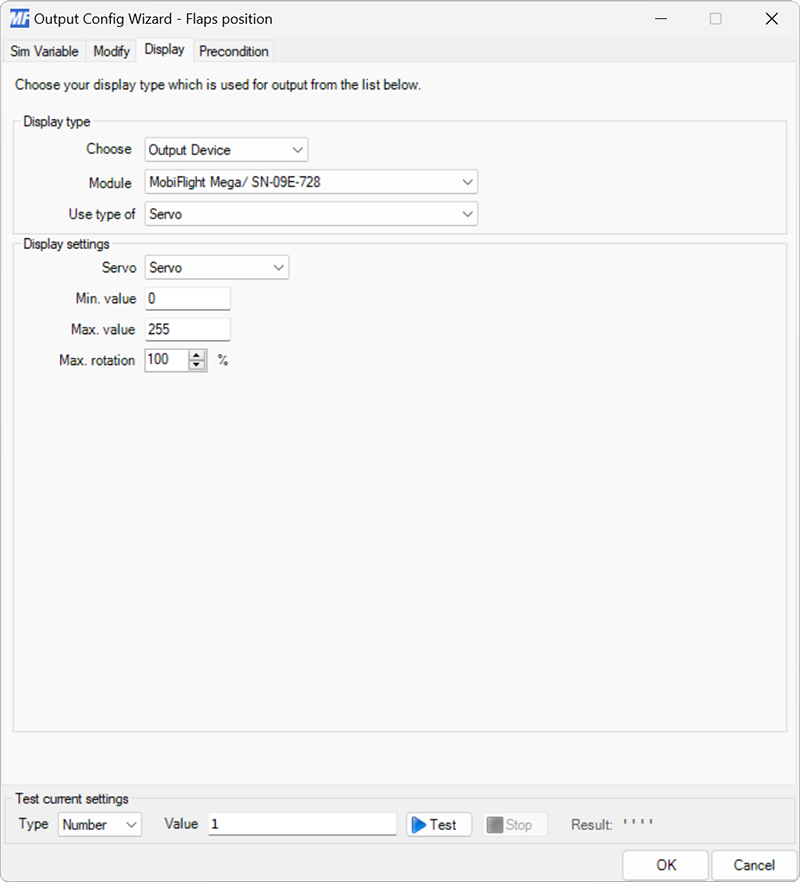
| Setting | Description |
|---|---|
| Servo | Selects the servo to display the value on. |
| Min. value | Sets the minimum value expected from the variable defined on the Sim Variable tab. |
| Max. value | Sets the maximum value expected from the variable defined on the Sim Variable tab. |
| Max. rotation | Sets the amount of the servo range to use for value display. |
The Min. value and Max. value settings are used to scale the simulator variable value to a range of 0–100%. The Max. rotation setting is used to scale the value to a smaller range than 0-100.